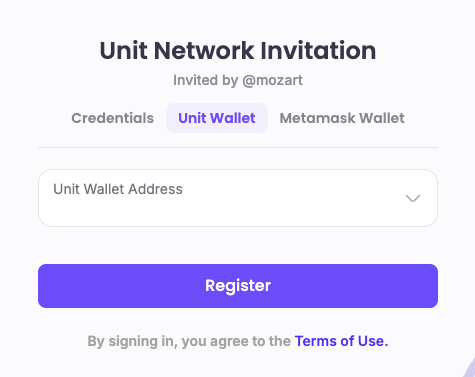
Register - Unit Wallet
Register an Account using Unit Wallet / Talisman Wallet
1. Access Unit Network
- Open the Unit Network website or app.
2. Select Unit Wallet / Talisman Wallet Registration
- Choose the option to create an account via your Unit Wallet / Talisman Wallet.
3. Connect Your Unit Wallet / Talisman Wallet
- Follow the on-screen instructions to securely connect your Unit Wallet / Talisman Wallet to Unit Network.
4. Complete Wallet Verification
- Finish any additional verification steps required by your wallet provider.
5. Access Your Account
- Once connected, your Unit Network account will be linked to your Unit Wallet / Talisman Wallet , allowing you to log in and access the platform using your wallet credentials.
This setup ensures a secure, streamlined connection between your Unit Wallet / Talisman Wallet and Unit Network.